
Contents
- Who this checklist is for
- Gate A — source still (pass/fail)
- Gate B — prompt slots that must not collide
- Gate C — camera, light, and one constraint
- Gate D — review before the second credit
- Copy-paste prompt skeleton
- Failure table
- FAQ
- Conclusion
This guide sits next to the source-image checklist and the motion / camera / lighting design guide. Those pages go deep on one layer. Here the goal is a single sequential pass: still → slots → review—so you do not spend twice for the same mistake.
Subjects must read as clearly adult (18+). Use authorized images only. Product options change; confirm duration, watermark, and debit in the live generator.
Who this checklist is for
Use it when you already have (or can shoot) a still and you want a short Adults 18+ motion clip—not when you need a companion chatbot, a long narrative film, or a deepfake of a real person. Swipey AI, as described on this site, is for prompt and image-to-video experiments.
Gate A — source still (pass/fail)
Do not open the generator until the still clears these boxes:
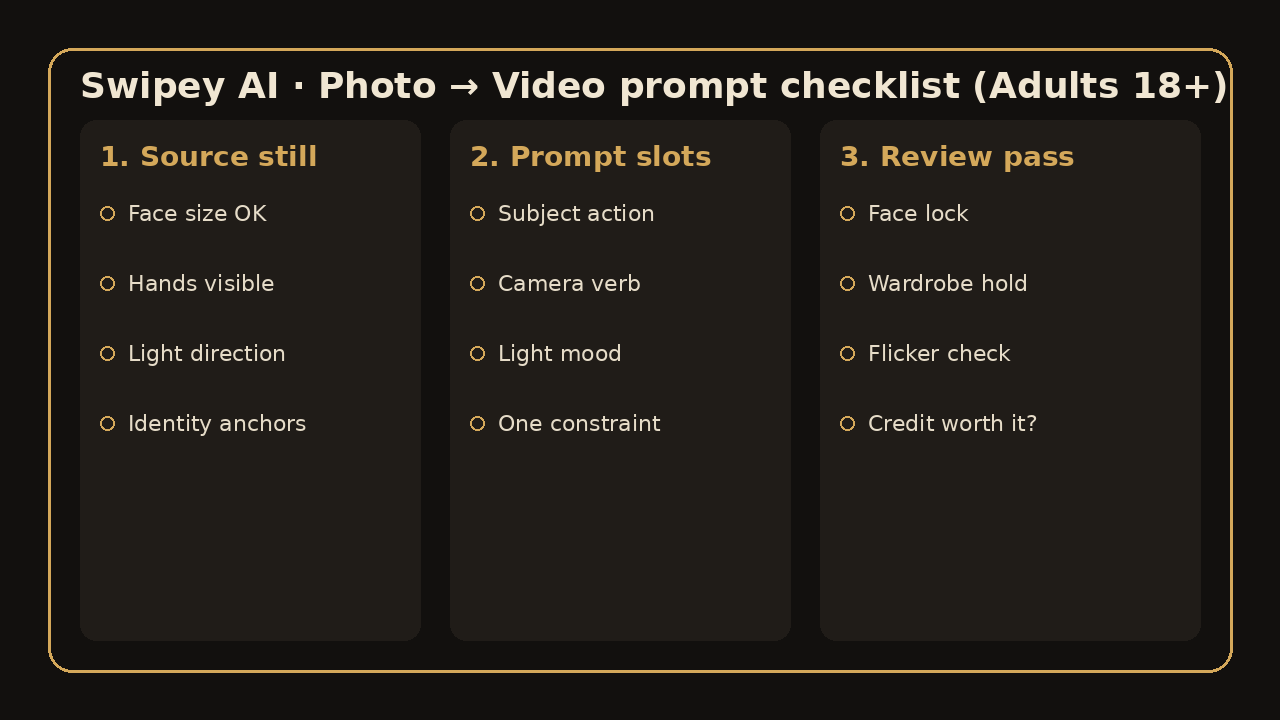
- Face size — head is large enough that identity survives motion; tiny faces drift.
- Identity anchors — hairline, eye spacing, distinctive jewelry or wardrobe that should persist.
- Hands — if hands will move, they must be visible and not cropped mid-finger.
- Light direction — one readable key; muddy flat light makes flicker harder to judge.
- Background — enough detail to stay put, not so busy that motion invents props.
- Action fit — the pose already suggests the beat you will ask for (turn, lean, glance).
- Rights — you may use this image; no private or celebrity likeness without consent.
Fail any critical box → revise or replace the still. Prompt adjectives will not fix a bad crop.
Gate B — prompt slots that must not collide
Write four short slots. If two slots demand opposite things, stop and cut one.
| Slot | Ask | Example (adult fiction) |
|---|---|---|
| Subject | Who, wardrobe, expression rule | Adult woman, black silk robe, calm half-smile held |
| Action | One body verb | Slow turn toward camera, pauses |
| Camera | One camera verb | Gentle push-in |
| Light | One mood | Warm window light from the left |
Collision examples to delete: “energetic dance” + “locked close-up on still eyes”; “neon cyber” + “candlelit romance”; “orbiting camera” + “handheld shake” + “zoom” in one short clip.
Gate C — camera, light, and one constraint
After the four slots, add exactly one constraint line:
- “Keep face identity stable; no wardrobe color change.”
- “No extra people enter the frame.”
- “Hands stay visible; no morphing fingers.”
More than one hard constraint often fights the model. Prefer a shorter clip for hard constraints; confirm lengths in the live UI (~teaser vs longer set pieces).
Gate D — review before the second credit
Play the first export muted once, then with sound if present. Score:
- Face lock — same adult person every few frames?
- Wardrobe hold — robe/collar/color stable?
- Flicker / morph — background or hands melting?
- Brief match — did the single action and camera verb actually appear?
- Credit decision — retry with a narrower prompt, a better still, or stop?
If face lock fails, fix the still or shorten motion before you rewrite poetry into the prompt.
Copy-paste prompt skeleton
[SUBJECT: clearly adult woman, wardrobe, expression rule]
[ACTION: one verb + pause]
[CAMERA: one verb]
[LIGHT: one source + direction]
[CONSTRAINT: one hard rule]
Adults 18+ fictional character. No logos. No underage appearance.
Replace brackets. Keep the whole prompt under a readable paragraph—not a keyword dump.
Failure table
| Symptom | Likely cause | First fix |
|---|---|---|
| Face swaps mid-clip | Small face / soft still | Recrop; stronger key light; shorter action |
| Hands melt | Cropped hands + complex gesture | Still with full hands; simpler action |
| Camera feels drunk | Multiple camera verbs | Keep one; see camera vocabulary |
| Mood ignores prompt | Colliding light adjectives | One light line only |
| Looks like a real celebrity | Likeness leakage | Change still; ban famous names; invent original adult look |
FAQ
Is this the same as the source-image checklist?
No. That page deep-dives still quality. This page sequences still + prompt slots + review into one pre-flight for photo-to-video.
Do I need locale mirrors for this English guide?
This article is EN-only. Language menus for other locales return to those locales’ blog indexes, matching other EN-first posts on this site.
Where do I run the generation?
Open Swipey AI via the site CTA (utm_ref=efe38e54ae0fe0c7 on spicy-box.com) and confirm live options before paying.
Can I use this for non-consensual deepfakes?
No. Authorized Adults 18+ material only.
Conclusion
A SwipeYAI photo-to-video prompt checklist is not more adjectives—it is four gates: still, non-colliding slots, one constraint, and a honest review before the next credit. Keep characters clearly adult, keep likenesses clean, and let each retry teach one fix.
When you are ready, start from a passable still, paste the skeleton, and open Swipey AI. Browse more planning notes in the Guides library.