
Contents
- What Fanvue is (and is not)
- Why Fanvue matters for adult AI creators
- Fanvue AI account types and disclosure rules
- How Fanvue monetization usually works
- Where Fanvue fits vs an AI video tool
- A practical Adults 18+ creator workflow
- Pre-publish checklist for Fanvue AI content
- Honest comparison notes (Fanvue vs Swipey AI roles)
- FAQ
- Conclusion
If you are researching Fanvue because you make (or plan to make) adult AI images and short clips, you are usually trying to answer three questions at once: Can I sell AI-made content there? What rules will get an account removed? And do I still need a separate tool to generate motion?
This article is written for Adults 18+ creators and operators. It is a professional review-style guide, not a Fanvue affiliation and not a promise about earnings. Product details change; always confirm fees, payouts, and Community Guidelines on Fanvue’s own help and legal pages before you publish.
What Fanvue is (and is not)
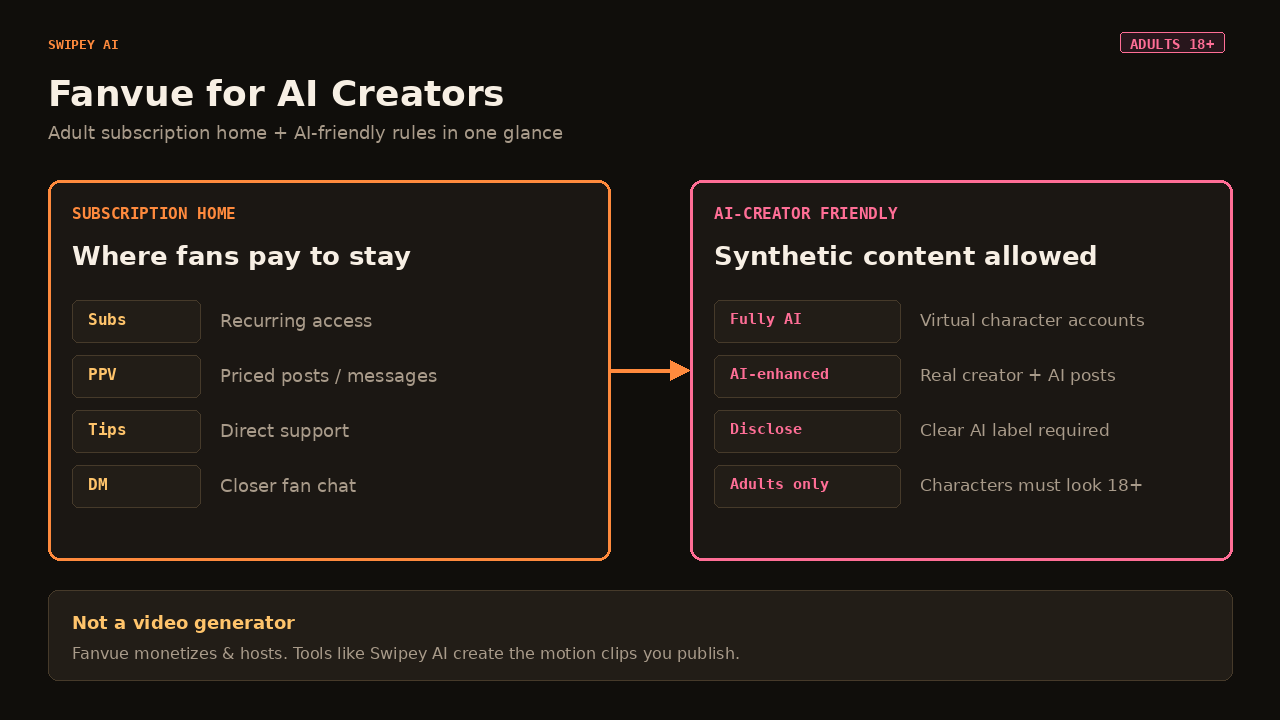
Fanvue is a creator monetization and subscription social platform. Founded in 2020, it positions itself as an AI-forward place for direct fan connection: posts, messages, subscriptions, paywalled items, and tips live in one account rather than depending only on public social algorithms.
Important boundary for readers arriving from AI video searches: Fanvue is not an image-to-video generator. It hosts and monetizes content you upload. The clips, stills, and voice assets still have to be produced somewhere else—or with Fanvue’s own messaging/voice AI helpers, which are engagement tools rather than a full photo-to-video pipeline.
Fanvue allows explicit content when it is appropriately labeled, and it is not limited to adult niches. Athletes, educators, and lifestyle creators also use it. For this guide, we focus on the adult AI-creator path: synthetic characters, AI-enhanced real creators, and short video used behind a subscription or PPV gate.
Why Fanvue matters for adult AI creators
Many mainstream creator platforms restrict or ban NSFW and synthetic adult media. Fanvue’s published stance is different: it welcomes AI creators when rules are followed. That combination—adult content allowed plus fully AI accounts allowed with disclosure—is why Fanvue appears so often in research around adult AI creator businesses.
Practically, that means a solo operator can:
- Run a clearly labeled virtual character account after KYC
- Mix real verified creator footage with disclosed AI posts
- Sell recurring access instead of chasing one-off viral views
- Use messaging and (where available) AI-assisted replies to keep fans engaged without living in the inbox
None of that replaces good creative craft. Fans still leave when the feed is incoherent, the character drifts, or the AI label feels like bait-and-switch. Fanvue gives you a storefront and rulebook; it does not invent a durable persona for you.
Fanvue AI account types and disclosure rules
According to Fanvue’s help centre on AI content, accounts generally fall into three patterns:
| Type | Meaning | What Fanvue typically requires |
|---|---|---|
| Fully AI | Virtual character; media does not depict a real person | Your KYC; clear AI label |
| AI persona / likeness | Real person’s face or body altered with AI | Your KYC plus verification and signed consent from that person |
| AI-enhanced creator | Real verified creator who also posts AI work | Your KYC; disclose AI portions |
Non-negotiables that keep showing up in Fanvue’s AI guidance:
- Disclose. Do not present a fully AI account as a real person. Labels belong in bio, captions, and/or watermarks.
- No non-consensual likenesses. Celebrities and other creators are not fair game without documented consent and verification.
- Clearly adult appearance. Characters must look adult. Prompt text or a stated age does not override how the media reads visually.
- Own your sources. Do not build posts from other people’s photos or videos.
- Same community rules as everyone else. Prohibited themes stay prohibited whether the frame is photographed or generated.
Treat moderation as a real filter, not a footnote. Fanvue describes a “Reasonable Person’s Test” for AI media. Multiple failures can escalate from removal to suspension. If you are building a catalog, design for the rule that looks strictest on your riskiest asset—not for the most permissive reading of a blog post.
How Fanvue monetization usually works
Fanvue’s public materials describe a familiar adult-subscription stack:
- Subscriptions — recurring access (creators set pricing within platform ranges)
- Paywalled / priced posts — one-off unlocks
- Pay-to-view messages — premium delivery in DMs
- Tips and bundles — support and packaged offers
Fee figures published by Fanvue and secondary reporting have cited a lower cut for an early KYC window (often described as ~15% for the first 30 days) and ~20% afterward. Confirm the live Creator Earnings & Payout Policy before you model revenue. Payouts land in a platform balance and can be withdrawn by available regional methods; Fanvue also markets faster/instant payout options depending on region and status.
For AI creators, pricing strategy is less about matching a celebrity’s rate and more about matching update cadence. A virtual character that posts three strong clips a week at a modest subscription often outperforms a high sticker price with empty weeks. PPV works best when the free or sub feed already proves consistency.
Where Fanvue fits vs an AI video tool
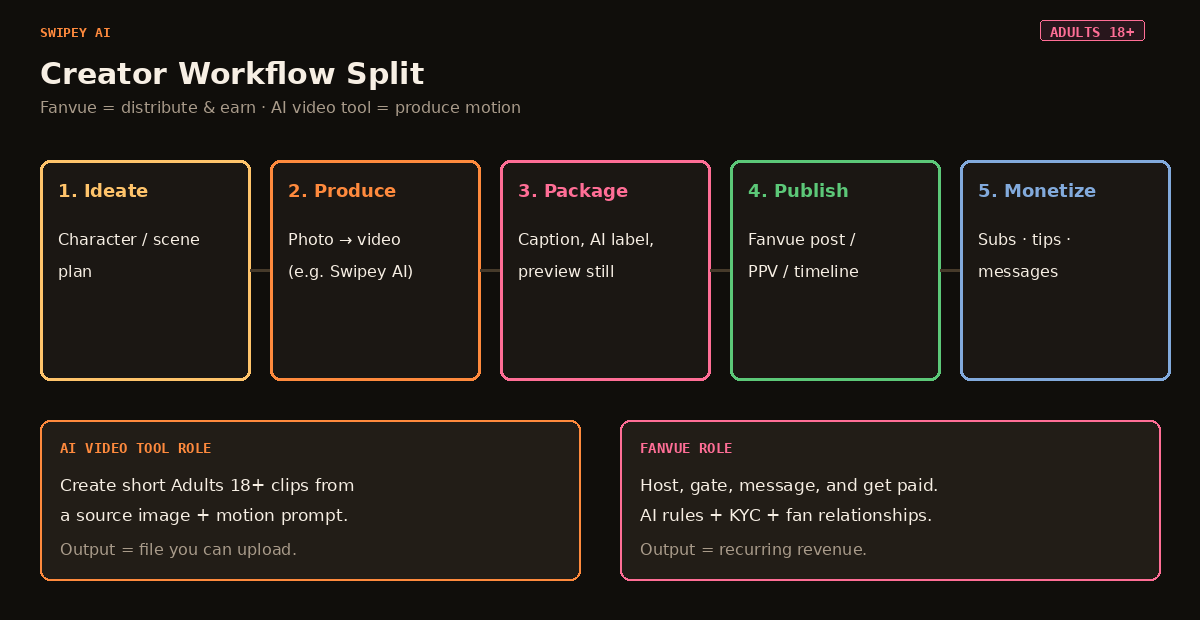
Confusion online often comes from treating Fanvue and image-to-video apps as substitutes. They sit on different layers:
| Layer | Fanvue | Swipey AI (example) |
|---|---|---|
| Primary job | Host, gate, message, get paid | Turn a source image + prompt into a short Adults 18+ clip |
| You upload | Finished media + copy | Source still + motion instructions |
| You download / keep | Audience + earnings history | Video file to publish elsewhere |
| AI policy focus | Disclosure, consent, adult look, KYC | Prompt/source quality for motion |
Swipey AI, as described on this site, is an Adults 18+ AI video generator for prompt and image-to-video experiments. It does not replace Fanvue’s subscription billing, fan DMs, or platform KYC. Fanvue does not replace the need to prepare a coherent source still and a focused motion prompt before you spend generation credits.
Use both only when that split is true for your workflow. If you only need stills, you may never open an image-to-video tool. If you only need private experiments, you may never open Fanvue.
A practical Adults 18+ creator workflow
A durable Fanvue AI setup usually looks like this:
- Define the character once. Face anchors, wardrobe palette, setting vocabulary, and hard “won’t do” list. Write them down so later prompts do not drift.
- Produce offline. Generate or shoot stills; when you want motion, run image-to-video with one clear action. Review hands, identity, and crop before you like the result.
- Package for Fanvue. Export a clean file, write a caption that discloses AI when required, and prepare a non-misleading preview.
- Publish with intent. Decide free teaser vs subscriber post vs PPV before you hit publish—not after.
- Close the loop in messages. Replies, welcome automations, and (where you opt in) AI messaging should sound like the same character, not a generic chatbot dump.
The production step is where Swipey AI’s editorial guides help without inventing Fanvue features: source-image checklists, motion/camera/lighting prompt structure, and cutting dead words from overloaded prompts. Those improve the file you later upload to Fanvue.
Pre-publish checklist for Fanvue AI content
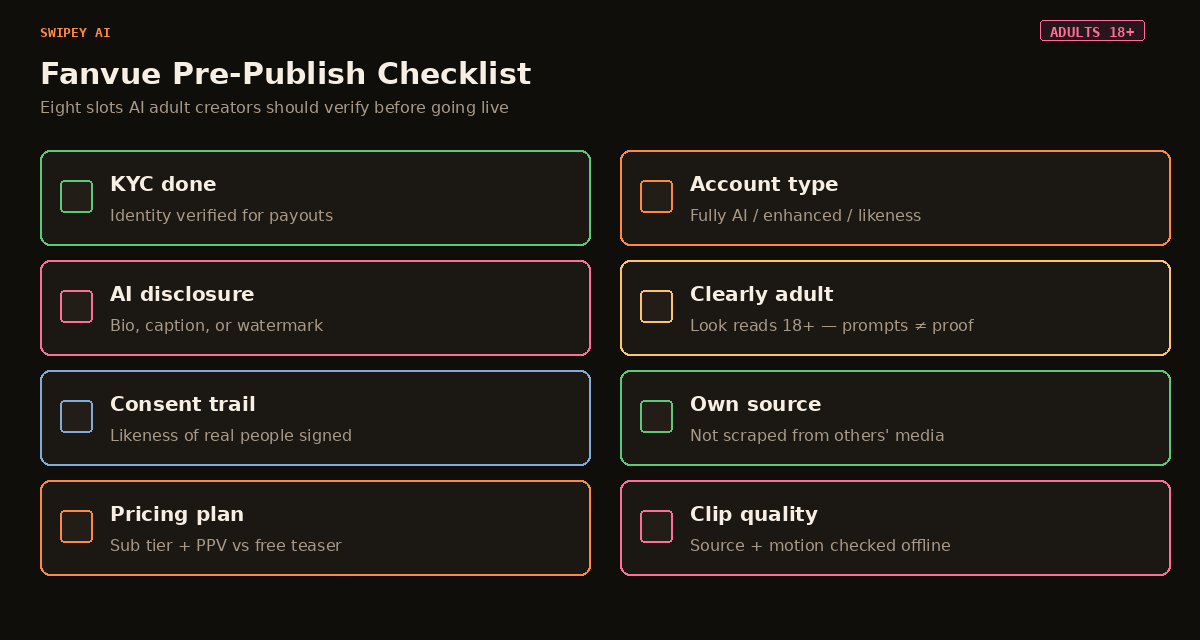
Before a Fanvue AI post goes live, walk these slots:
- KYC done — identity verified so payouts and creator status are real.
- Account type chosen — fully AI, AI-enhanced, or consented likeness—and labeled accordingly.
- AI disclosure visible — bio and/or caption and/or watermark a reasonable fan would notice.
- Clearly adult look — visual read first; prompts are not age proof.
- Consent trail — if any real identifiable person appears via AI, signed verification exists.
- Own source media — not scraped from another creator’s feed.
- Pricing plan — subscription tier, free teaser, or PPV decided up front.
- Clip quality checked offline — identity, hands, crop, and motion already reviewed before upload.
If any slot fails, fix it before spending audience trust. Removing a post after fans complain is more expensive than delaying one publish.
Honest comparison notes (Fanvue vs Swipey AI roles)
Natural comparison, without false product claims:
- Choose Fanvue when you need an Adults 18+ storefront that accepts disclosed AI creators, subscriptions, and fan messaging.
- Choose an AI video tool such as Swipey AI when you need to produce short motion from a still and a prompt.
- Use both when your Fanvue calendar depends on a steady pipeline of short clips you generate and review offline.
- Use neither interchangeably. Uploading raw experiments to paying fans burns goodwill; generating beautiful clips with nowhere to sell them stalls the business.
We do not claim Fanvue embeds Swipey AI, shares payouts with it, or guarantees any clip will pass Fanvue moderation. We also do not invent Fanvue UI features. Read Fanvue’s current help articles for AI Messaging, voice tools, and earnings before you promise fans a specific experience.
FAQ
Is Fanvue only for adult content?
No. Explicit content is allowed when labeled, but Fanvue also hosts non-adult creator categories. This guide focuses on adult AI creators because that is the research intent behind most “Fanvue + AI” searches here.
Can I run a fully AI character on Fanvue?
Fanvue’s help docs say yes, with your own KYC and clear AI disclosure. Characters must look clearly adult, and you must not claim to be a real person if the account is fully AI.
Does Fanvue generate my videos for me?
Not in the sense of a dedicated photo-to-video studio. Fanvue is the distribution and monetization layer. Produce motion with a separate Adults 18+ generator (for example Swipey AI) when your workflow needs clips.
What gets AI accounts in trouble?
Common failure modes: missing disclosure, non-consensual likenesses, characters that read underage, scraped source media, and content that would already violate community rules if it were photographed.
Is this an official Fanvue guide?
No. It is an independent Swipey AI editorial article for Adults 18+ readers researching Fanvue alongside adult AI video workflows.
Conclusion
Fanvue is best understood as an AI-creator-friendly adult subscription home: KYC, disclosure, clearly adult characters, and multiple ways for fans to pay. It is not a substitute for careful image-to-video craft. Pair it with a disciplined production step—source review, focused motion prompts, offline quality checks—and you get a workflow that can publish without confusing the storefront for the studio.
If your next bottleneck is the clip itself, start with Swipey AI’s source-image and prompt guides, then return to Fanvue with files that already survive a harsh pause-and-inspect pass. If your bottleneck is monetization and fan access, Fanvue is the layer to evaluate first—rules open, checklist printed, expectations calibrated.